 Kithara
What you get
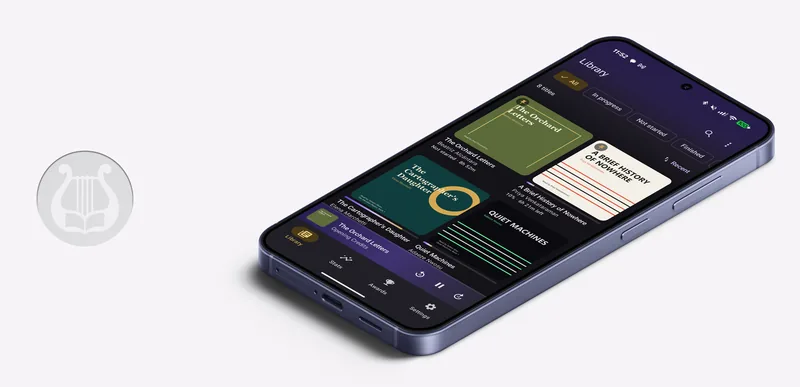
- Your library as a tab. Titles, authors, narrators, series, covers and chapter lists come from the server. You can keep a local folder library open in another tab at the same time.
- Streaming that seeks properly. Books stream over HTTP range requests, so jumping to hour nine of an m4b is a range request, not a re-download.
- Downloads for offline listening. Tap the cloud badge on any cover to pin it to the phone. Downloads run in the background and survive reboots and dropped connections.
- Position sync that gets offline right. Your position, finished state and bookmarks sync through the server. Listen on a flight with no signal and you will not be rewound when you land.
- Android Auto. Your Audiobookshelf library gets its own node in the car, with voice search.
Setting it up
No server yet? Start with the full walkthrough, from Docker to the phone. If Audiobookshelf is already running:
- Open Library, tap the menu in the top corner, then Manage libraries and Add a library. (With no libraries yet, the library screen offers a folder, a server or LibriVox directly.) Choose Audiobookshelf server.
- Enter the address exactly as you would type it into a browser, including the port, for example
http://192.168.1.20:13378. Plainhttpon your home network is fine and is assumed when you leave the scheme off. If you reach the server over the internet, usehttps. - Enter your Audiobookshelf username and password. Kithara exchanges them for a long-lived token at sign-in and then discards the password; only the token is stored on the device.
- The first sync starts immediately and fetches every item's detail, so a large library takes a minute. Later syncs only fetch what changed.
You can add several Audiobookshelf servers, or the same server twice with different accounts. Each becomes its own tab, and each can be paused from Settings without losing anything.
Streaming, downloads and Wi-Fi
Streaming never writes to the download cache, so idly playing a 30-hour book cannot quietly fill the phone. Files land on disk only when you pin a book. Pinned books play with no network at all, and the player does not treat them any differently.
Each download shows its own progress, retries on failure, and can be unpinned to reclaim the space. Settings shows how much storage downloads are using, and there is a Wi-Fi only switch that covers both downloads and sync.
The auth token travels in a header rather than the URL, so rotating your token on the server never orphans a download that is already on the phone.
How position sync works
Kithara pulls progress from the server when the app launches or comes back to the foreground, and pushes on every pause and stop. Writes made while offline are queued and drained on the next connection; a write that keeps failing is retired after eight attempts rather than blocking everything behind it. Settings shows how many changes are waiting.
When the server and the phone disagree, the server position wins only if both of these are true:
- the server's timestamp is newer than the phone's, and
- the phone has nothing queued for that book.
The second rule is the one that matters. It is what stops a stale position with a newer-looking timestamp from another device silently rewinding you after a few hours of offline listening. Kithara pushes first, then pulls.
What does not sync
- Listening statistics and achievements stay on each device. Merging daily totals across phones needs more than last-write-wins, so it is deliberately not done yet.
- Bookmarks are one-way with Audiobookshelf. Bookmarks you make on the phone reach the server; bookmarks made elsewhere do not appear in Kithara yet, and deleting one on the phone does not delete it on the server. (Kithara sync servers do both.)
Compatibility
Kithara is written against the Audiobookshelf v2 API. Audiobookshelf is an independent open-source project and is not affiliated with Kithara. If a call starts failing after a server upgrade, let us know which version you are running; the endpoints live in one place and are quick to adjust.
Prefer a server that does exactly what you need and nothing else? kithara-server is one binary with no database, and it speaks an open protocol you can implement yourself.